Higgsfield Pricing: Plans, Free Access and Credit Costs
Compare verified Higgsfield monthly and annual prices, free-access limits and credit costs. Calculate your budget using accepted clips rather than attempts.
The essentials
- Observed base individual plans were Basic at $9, Pro at $29 and Max at $79 on monthly billing, before taxes.
- Limited no-subscription generation does not include a credit allowance or access to every video model.
- Temporary bonuses, unlimited windows and rejected takes can substantially change the real cost per usable clip.
On this page
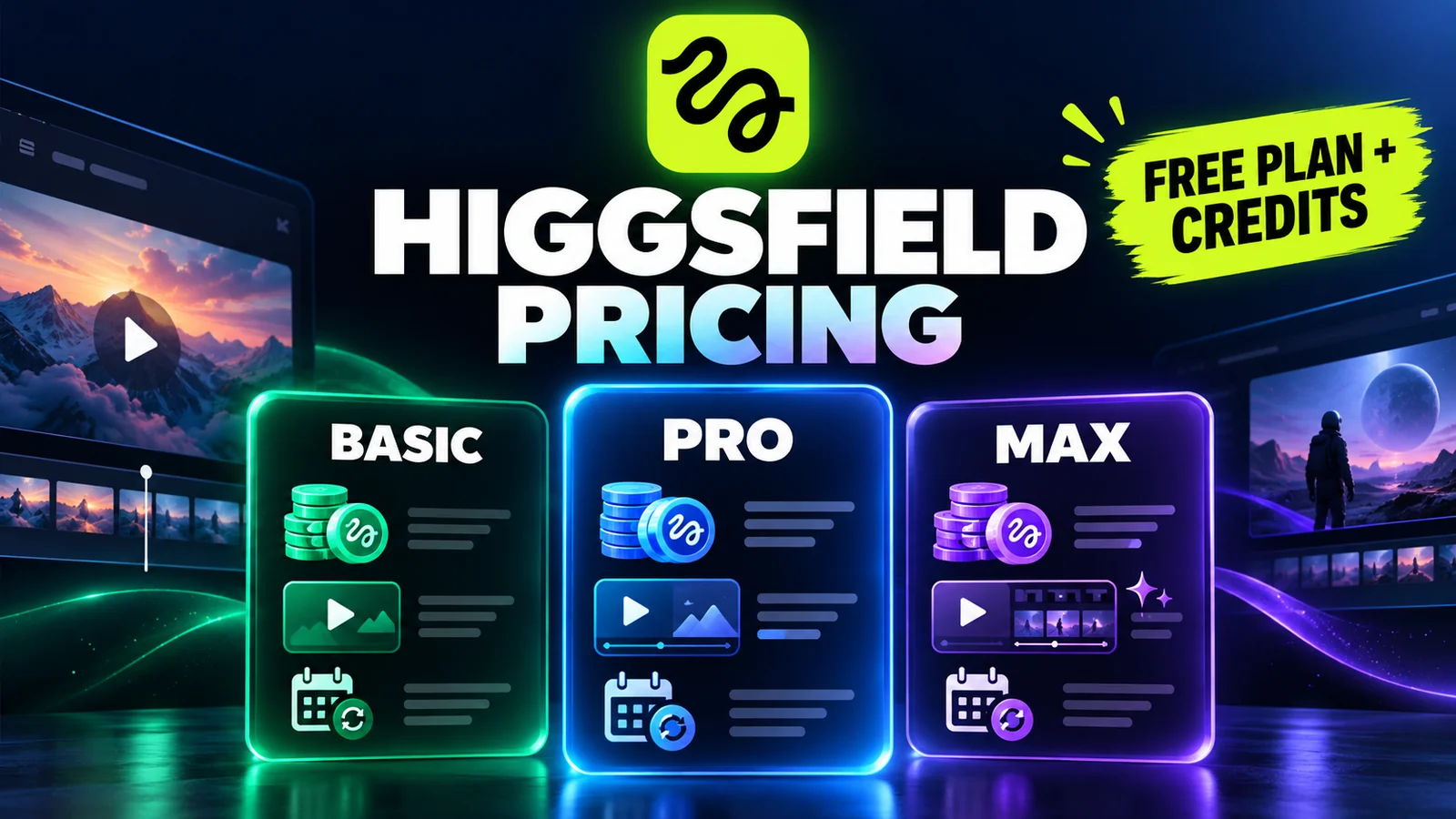
Higgsfield's observed monthly prices were $9 for Basic, $29 for Pro and $79 for Max on September 29, 2026. At their base settings, those cards included 120, 600 and 1,800 credits per month respectively. The meaningful budget is the cost of an accepted clip after retries, not just the subscription price.
Verified in the rendered public pricing page on September 29, 2026, with both monthly and annual billing selected. Prices below are advertised offers in USD, excluding taxes; they are not guaranteed renewal quotes.
Higgsfield plans and prices
| Individual plan | Billed monthly | Monthly equivalent on annual billing | Base credits per month |
|---|---|---|---|
| Basic | $9 | $9 | 120 |
| Pro | $29 | $23 | 600 |
| Max | $79 | $59 | 1,800 |
Source: Higgsfield's live pricing page. Pro and Max have adjustable credit selections; this table records the base selections. An annual monthly equivalent is not a month-to-month contract. At the displayed rates, multiplying by 12 gives $108, $276 and $708 before tax; verify the actual charge and renewal amount before payment.
The page also displayed temporary bonuses expiring September 30 at 23:59 UTC. They are deliberately excluded from the table because an expiring bonus cannot support a recurring production budget. A banner still used the name “Ultra” while the individual cards read Basic, Pro and Max. Use the selected plan and checkout summary to resolve inconsistent labels.
If you are still deciding what you need, start with the Higgsfield product overview. Buying more credits does not necessarily unlock the particular workflow you want.
Can you use Higgsfield for free?
Yes, with limits. The official plan help article says generation without a subscription is available on a small set of models and includes no credits. A free account should therefore be treated as a way to explore eligible options, not a promise of free use of any model in the catalog.
Open the official site, inspect the options available to your account, and read the cost displayed before generating. If the selected model requires credits, switch to an explicitly included option or decide whether a paid test is worthwhile. A promotional “free generations” allowance on a paid plan is different from a permanent free tier.
Do not budget from old claims about daily free credits without checking the current offer. Use our first-video tutorial to design a small trial whose output you can evaluate.
How many videos do credits buy?
There is no single conversion rate. The chosen model, duration, resolution and workflow affect consumption. Higgsfield's pricing table showed, for example, approximately seven credits for five seconds of Kling 3.0 at 720p, versus approximately 22 credits for five seconds of Seedance 2.0 at 720p. These are displayed estimates, not a promise that every setting combination costs the same.
Use the amount shown for your actual generation. Also count reference-image creation, additional takes and optional finishing steps. Higgsfield's own credit-use explanation highlights how repeated production steps consume the allowance.
Calculate the cost per usable clip
Use two different numbers:
Credits per accepted clip = total credits spent / accepted clips
Cash cost per accepted clip = allocated subscription and top-ups / accepted clips
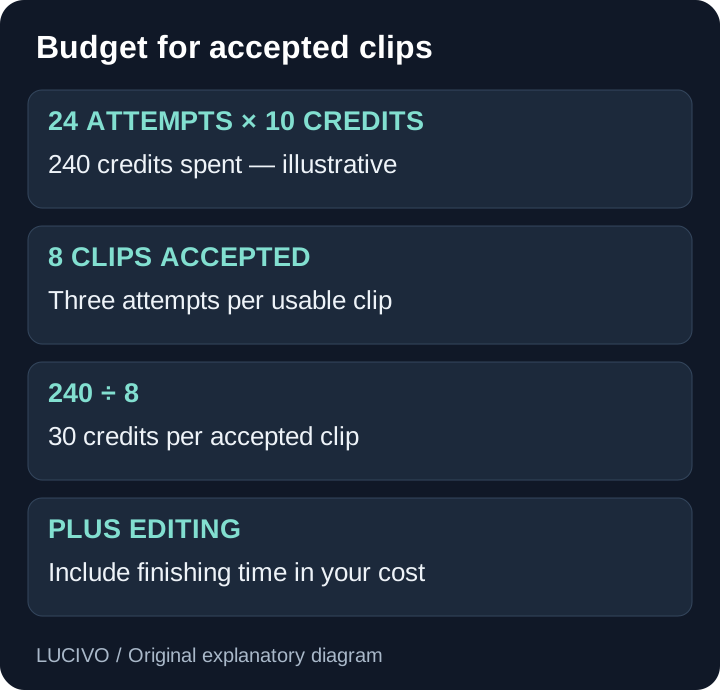
Suppose a project makes 24 attempts at an illustrative ten credits each and accepts eight clips. It used 240 credits, or 30 credits per accepted clip. Counting only the ten-credit generation would understate the production cost by a factor of three. This is an example calculation, not a measured Higgsfield failure rate.
| Your project input | What to enter |
|---|---|
| Finished shots needed | Number of distinct accepted clips |
| Attempts per accepted shot | Your own trial result |
| Credits per attempt | Current generation-panel quote |
| Supporting assets | Credits for images and other steps |
| Existing usable balance | Credits that remain valid for the project |
Multiply the first three rows and add supporting assets. Then compare the result with your usable balance and the plan allowance. If the result barely fits, simplify the shot list before committing to delivery.
What does unlimited actually include?
Higgsfield's unlimited documentation ties the benefit to specific models and periods. It describes an Unlimited toggle for eligible generations; credit mode uses the priority queue. Availability, speed and concurrency can differ.
The pricing page explicitly excludes MCP/CLI, Canvas and Supercomputer from its plan-based unlimited and free-generation benefits. Do not assume that an agent using the same model inherits the web allowance.
Before choosing a plan for unlimited use, record the model, resolution, expiration date, supported surface and subscription requirements. A short promotional window may be useful for a planned batch but unsuitable for work spread across a month.
Which plan should you choose?
Choose the smallest plan that includes your required model and can handle a realistic number of attempts. Move up for a documented need: more valid credits, access to a necessary model, or concurrency that reduces a real bottleneck.
Annual billing makes more sense after a small project has established your usage. For an uncertain workflow, evaluate the smaller commitment against the annual saving. Do not assume the largest plan has the lowest effective cost if most of its allowance goes unused.
If most retries come from conflicting camera directions, improve the brief using our Higgsfield prompt examples. If you are comparing subscriptions, use the same accepted-output method in Higgsfield vs Runway; credits from different companies are not equivalent currencies.
Before checkout and at renewal
Confirm the billing period, selected credit tier, renewal amount, taxes and any active auto-refill setting. Read the current billing and refund entries in the help center before relying on cancellation or reimbursement terms. Keep a copy of the offer attached to your purchase.
The snapshot above records September 29 offers. If you buy after the September 30 bonus expiry, compare the live plan card with this baseline and confirm which allowances still apply.
Common Questions & Practical Answers
On September 29, 2026, the public individual cards showed Basic at $9, Pro at $29 and Max at $79 billed monthly, at their base credit settings. Annual equivalents were $9, $23 and $59 per month. Offers, taxes and renewal terms must be checked at checkout.
Practical guides published by Lucivo, developed with AI assistance and references to official documentation. Examples are illustrative unless a guide explicitly documents a hands-on test. Check the linked sources for current product details.
Related articles

Higgsfield AI: What It Does and Who Should Use It

Higgsfield Prompts: 8 Camera Moves with Clear Examples

Higgsfield vs Runway: Which AI Video Workflow Fits You?
The Weekly Breakdown
High signal AI & software stories.
Direct to your inbox. No hype.
Independent analysis of AI models, developer tools, and computing architectures. Delivered every Sunday morning. 100% free.