Prompt Regression Testing: Test LLM Model Updates
Use prompt regression testing to compare LLM prompts and model updates. Build an eval set, score regressions, automate checks and gate releases.
The essentials
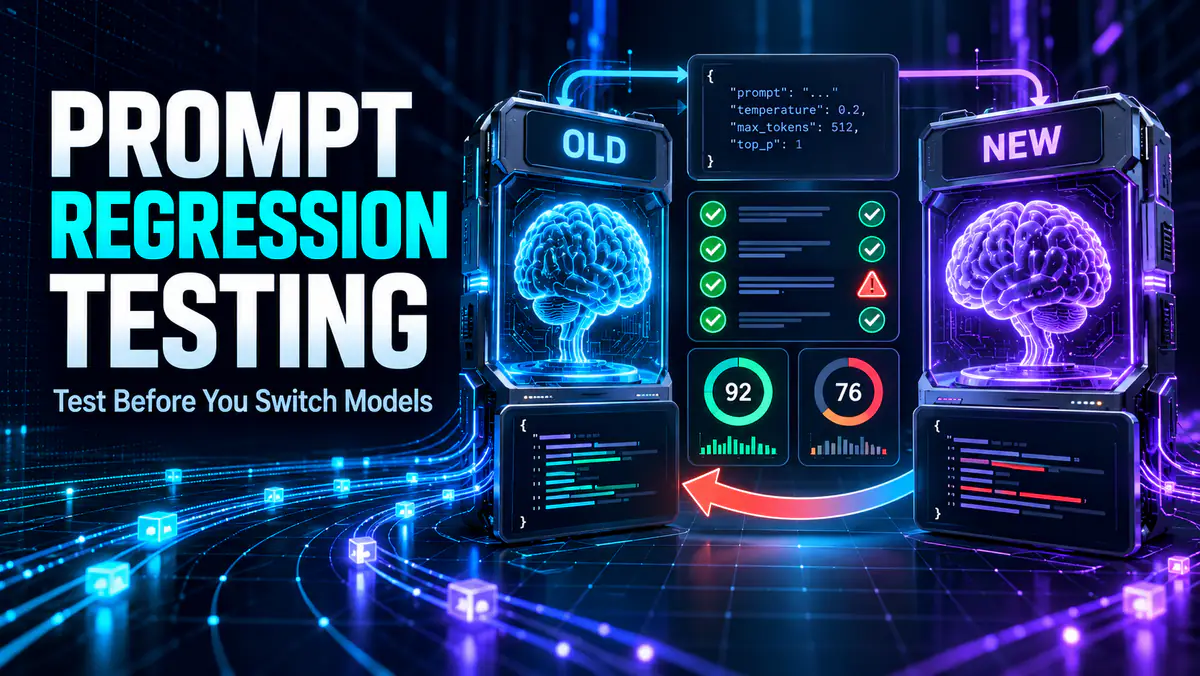
- Prompt regression testing reruns the same representative cases against the old and new model, then compares behavior against written acceptance rules.
- A higher average score can hide a serious failure in structured output, safety, groundedness or tool use.
- Keep the old model available until the replacement passes critical cases and the migration can be reversed.
On this page
Prompt regression testing checks whether an AI workflow still behaves acceptably after its model, prompt, settings or tools change. Also called LLM regression testing or prompt evals, it runs the old and new versions on the same representative cases, scores the results against rules written in advance, and investigates every failure that affects a critical requirement.
This is different from asking which model is “smarter.” A migration can improve general reasoning while breaking the exact JSON shape, refusal boundary, citation style or tool sequence your workflow depends on. The purpose of the test is to protect that workflow.
Official guidance increasingly treats model changes like software changes. Microsoft's model-migration guidance recommends evaluating groundedness, abstention, instruction following and messy inputs, while OpenAI's Evals API supports running defined criteria against different models and settings. Apple's prompt-evaluation guidance also notes that underlying model updates can change results.
When you need a regression test
Run a comparison before changing a model ID, adopting a new model snapshot, rewriting a system prompt, altering retrieval, adding tools or changing temperature and output settings. You should also run it when a provider changes the model behind an alias or announces a retirement.
The trigger is any change that could affect observable behavior. A UI label can stay the same while the model, routing or safety behavior changes underneath it. If the workflow matters enough to automate, it matters enough to test.
For an ordinary personal prompt, a quick manual comparison may be enough. For a coding assistant, support bot, document extractor or agent that can take actions, create a saved test set and a release decision.
Build a small test set from real work
Start with 15 to 30 cases. A smaller set built from real tasks is more useful than hundreds of generic questions. Remove private data, but preserve the structure that made the case difficult.
Include four groups:
| Group | What it should contain | Why it matters |
|---|---|---|
| Normal cases | Frequent, representative requests | Detects everyday quality changes |
| Edge cases | Empty fields, long inputs, conflicting evidence | Exposes brittle behavior |
| Failure cases | Problems previously seen in production | Prevents known failures returning |
| Critical controls | Required format, refusal, escalation or permission checks | Protects non-negotiable behavior |
If your workflow produces factual answers, include cases with incomplete and contradictory sources. If it generates code, include invalid input and dependency-version constraints. If it calls tools, include a request it must refuse or send for approval.
Do not fill the set with trivia the workflow never receives. The test should resemble the distribution of work you care about, including the inconvenient parts.
Write acceptance rules before seeing the outputs
An undefined quality judgment is easy to move after the preferred model wins. Define what counts as a pass before running the candidate.
Use deterministic checks wherever possible:
- Valid JSON that matches the required schema.
- Every requested field is present.
- Citations refer to supplied source identifiers.
- A tool call uses an allowlisted name and valid parameters.
- The answer stays within a documented length limit.
- A prohibited action does not occur.
Use a short rubric for qualities that cannot be reduced to a string check. A grounded-answer rubric might score each response from zero to two:
| Score | Meaning |
|---|---|
| 0 | Makes an unsupported material claim or contradicts the source |
| 1 | Mostly supported but omits an important qualification |
| 2 | Answers from the supplied evidence and preserves relevant limits |
The AI hallucination checking workflow can supply evidence checks for factual cases. For retrieval workflows, include questions whose answer is absent so you can test whether the model abstains instead of improvising.
Freeze the variables you are not testing
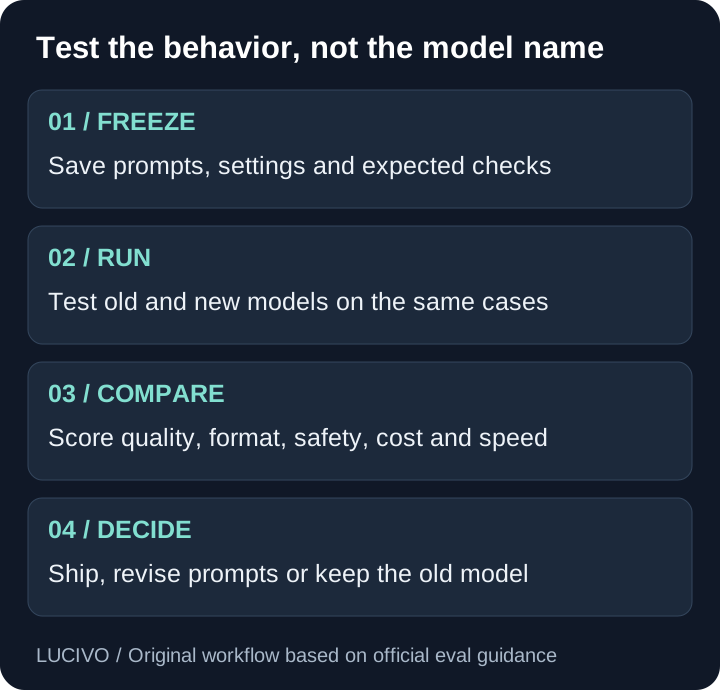
Use the same inputs, system instructions, tools, retrieval results and output limits for both models. Record the exact model identifier, date and relevant settings. If you change the prompt and model together, you cannot tell which change produced the result.
Model output is probabilistic. Run important cases more than once when variation matters, especially at nonzero temperature. Do not interpret one lucky answer as stable behavior.
For each test case, record:
case_id
input and attachments
system/developer instructions
model identifier and settings
expected deterministic checks
human-scored criteria
latency and token usage
tool calls and final status
Keep personally identifying or confidential material out of a shared evaluation file. Use synthetic equivalents or appropriately protected test infrastructure.
Compare more than answer quality
A migration affects cost and operations as well as prose. Compare these dimensions separately:
- Task success: Did the result solve the requested problem?
- Groundedness: Are material claims supported by the supplied evidence?
- Format reliability: Does the output validate every time?
- Instruction following: Are required constraints preserved?
- Safety and permissions: Does the workflow stop or ask before sensitive actions?
- Tool behavior: Are the correct tools called with appropriate arguments?
- Latency and cost: Does the change remain practical at your actual workload?
Do not collapse everything into one average. A candidate that is slightly more fluent but occasionally sends malformed tool parameters may be unacceptable. Mark critical criteria as gates: one failure blocks release until it is understood.
This matters particularly for coding agents. Our Codex vs Claude Code comparison and Claude Code vs Cursor guide compare workflows, but a local regression set is what tells you whether a model switch preserves your repository conventions and commands.
Review differences without inventing certainty
Blind the reviewer to the model name when practical. Otherwise brand expectations can influence subjective scoring. Shuffle paired outputs, apply the rubric, and reveal the model only after scoring.
Automated model graders are useful for sorting a large result set, but they inherit their own biases and failure modes. Calibrate them against human-scored examples. Use exact checks for schemas and required terms rather than asking a grader to infer whether the format is valid.
When two outputs are both acceptable, prefer the one with lower cost, lower latency or simpler operational requirements. When reviewers disagree, keep the disagreement visible and improve the rubric instead of forcing consensus.
Move from a manual prompt eval to CI
Run the first prompt evaluation manually so you can inspect the cases, grader disagreements and failure categories. Automate only after the acceptance rules produce decisions your team understands. A fast automated score built on a vague rubric creates noise rather than a release gate.
Store the eval dataset, prompt template, model settings and scoring code with the application. Trigger the suite when a prompt, model, retrieval rule, tool schema or output contract changes. In continuous integration, fail the check when a critical deterministic assertion breaks; send subjective score changes for review instead of treating every decimal movement as a defect.
The research paper “Why Is My Prompt Getting Worse?” describes why evolving LLM APIs complicate ordinary regression testing: outputs are nondeterministic and correctness is often task-specific. That is why a useful CI result should preserve the compared outputs, repeated-run count and exact runtime profile, not only a pass percentage.
Keep a small holdout group that prompt authors do not repeatedly optimize against. If the same visible cases guide every revision, the prompt can improve on the suite without improving on new production inputs.
Decide whether to ship, revise or stop
Use one of four outcomes:
- Ship: Critical cases pass and the candidate meets the agreed threshold.
- Revise: The model is promising but a prompt, schema or tool policy needs adjustment.
- Limit: Use the new model only for the task groups where it passed.
- Stop: Keep the existing model while you investigate or select another replacement.
If the old model has a shutdown date, “keep it forever” is not an option. Use the remaining window to revise prompts, change the workflow or reduce the scope of automation. Provider deprecation pages should be monitored as dependencies, not treated as news you can read after the endpoint disappears.
Deploy gradually where possible. Send a small share of eligible work to the candidate, monitor errors, and keep a rollback path. Archive the test results with the prompt and model version so a later team can understand the decision.
Turn failures into a growing asset
Every verified failure is a candidate test case. Add it with the smallest input that reproduces the problem, the expected behavior and the reason it matters. Over time, the set becomes a map of the workflow's real requirements.
Avoid adding near-duplicates simply to increase the count. A useful regression suite stays understandable. Group cases by capability and remove obsolete tests when the product requirement itself changes.
If your workflow uses long documents, add position-sensitive cases from the usable context-window test. If it uses external tools, combine output checks with an MCP permissions audit. The model is only one component of the system you are releasing.
A reusable release checklist
Before approving the migration, confirm that:
- The test set represents current work rather than demo prompts.
- Critical failures have explicit pass rules.
- Old and new versions used the same uncontested inputs.
- Structured outputs were validated mechanically.
- Tool calls and permissions were reviewed.
- Cost, latency and variation were recorded.
- Subjective results were reviewed without relying on brand preference.
- A rollback or staged rollout exists.
- The model ID, prompt version and decision date are documented.
Prompt regression testing cannot prove that every future input will succeed. It replaces an unexamined model switch with evidence about the cases that matter most—and gives you a repeatable way to improve that evidence after each failure.
Common Questions & Practical Answers
What is prompt regression testing?
It is a repeatable comparison that runs a fixed set of prompts and inputs against two model or prompt versions, then checks whether important behavior improved, stayed acceptable or regressed.
How many prompts should a regression test include?
Start with 15 to 30 carefully chosen cases covering normal work, edge cases and critical failures. Add production failures over time instead of chasing a large but unrepresentative dataset.
Can another AI model grade the results?
A model grader can help with scale, but deterministic checks and human review remain necessary for high-impact, subjective or safety-sensitive cases.
How do you automate prompt regression testing?
Store test cases, prompts, settings and scoring rules in version control, run them when the prompt or model changes, and block release when a critical gate fails. Review subjective or high-impact differences before deployment.
Practical guides published by Lucivo, developed with AI assistance and references to official documentation. Examples are illustrative unless a guide explicitly documents a hands-on test. Check the linked sources for current product details.
Related articles

Best Local LLMs for 16GB RAM: 4 Models Compared
MCP Permissions Audit: What Can an AI Agent Access?
Usable Context Window: Test What an AI Model Remembers
The Weekly Breakdown
High signal AI & software stories.
Direct to your inbox. No hype.
Independent analysis of AI models, developer tools, and computing architectures. Delivered every Sunday morning. 100% free.