MCP Permissions Audit: What Can an AI Agent Access?
Run an MCP permissions audit before connecting a server. Map files, credentials, network access and tools with a practical MCP security checklist.
The essentials
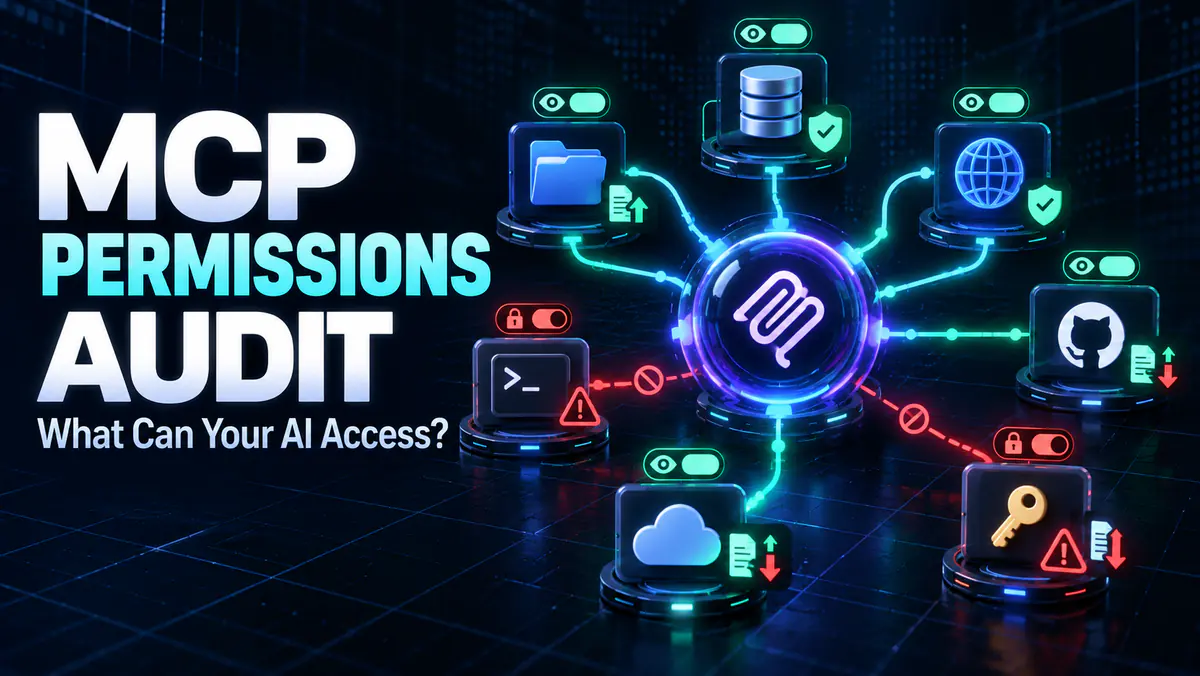
- An MCP connection should be audited as a complete data and action path, including the server process, credentials, network and downstream services.
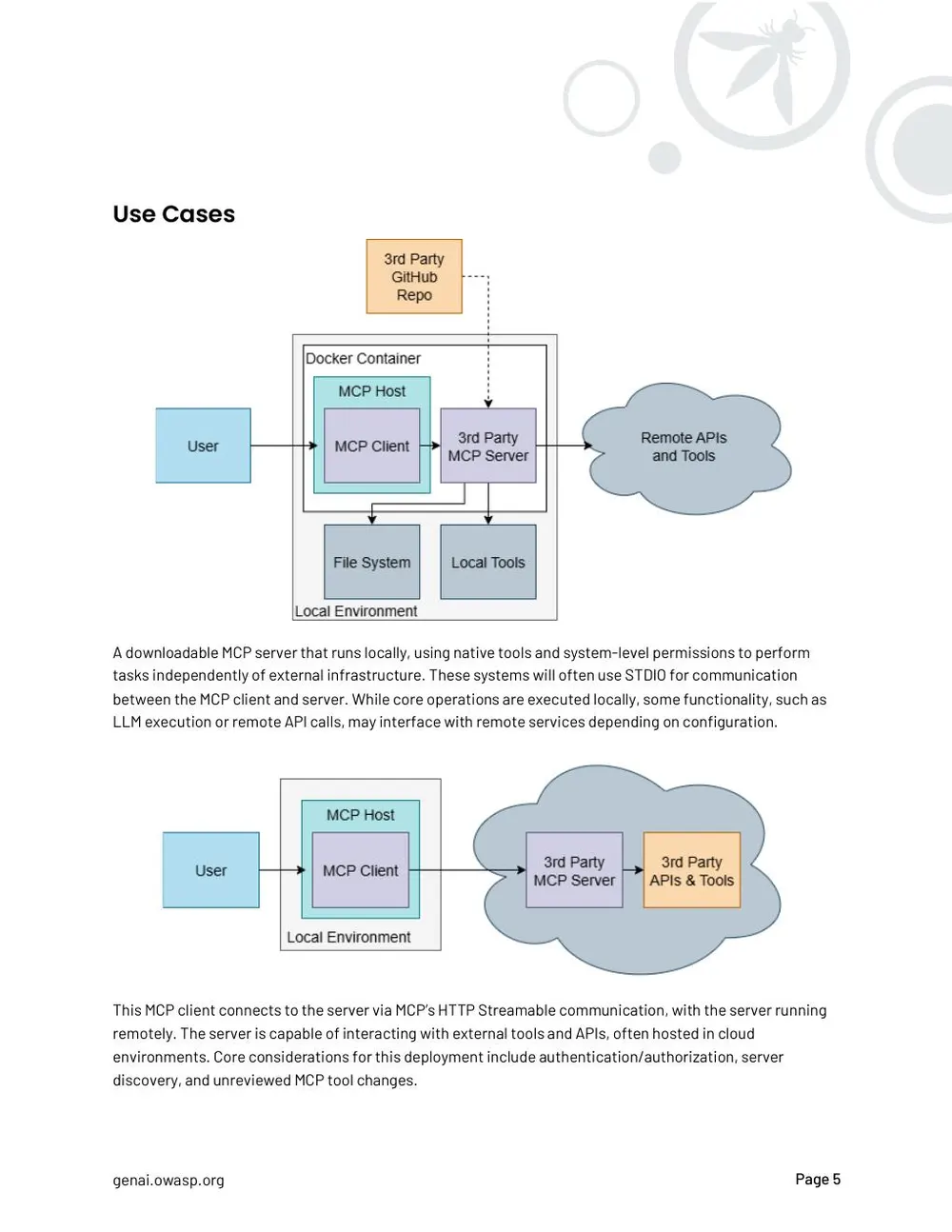
- Local does not mean isolated: a local server may read files, inherit environment variables and contact remote APIs.
- Use separate credentials, narrow scopes, restricted directories and human approval for destructive or data-sharing operations.
On this page
An MCP permissions audit identifies what a connected server can read, change, execute and send before an AI agent can use it. This MCP security checklist reviews the server as a real program with operating-system and service permissions, not as a harmless list of convenient tools.
Model Context Protocol standardizes how AI applications connect to external capabilities. It does not sandbox a server, verify its publisher or make broad credentials safe. If you need the architecture first, read what MCP is and how its components interact.
The OWASP MCP Security Cheat Sheet recommends treating each server as an independent security domain. The official MCP security guidance also addresses authorization risks such as confused-deputy behavior and token misuse. This article turns those concepts into a review you can perform before connecting a server.
Start with the complete data path
Write the path from your request to every system the server can reach:
You → AI host → MCP client → MCP server → files / APIs / databases
                                      ↘ model or external network
Then ask what information returns to the host and model. A file server may read locally, but its output can still be included in a request to a hosted model. A remote server may call another vendor's API. “Local” describes where one process runs; it does not describe the full data path.
Inventory every server and tool
Create one row per connected server. Do not stop at the friendly display name shown in the client.
| Field | What to record |
|---|---|
| Server identity | Package, repository, publisher and installed version |
| Launch method | Exact local command or remote endpoint |
| Tools | Full tool names, descriptions and parameter schemas |
| Resources | Files, databases, documents or services exposed |
| Credentials | Token type, account, scopes and storage location |
| Network | Domains and services the process can contact |
| Filesystem | Directories and file operations available |
| Approvals | Which calls run automatically and which pause for review |
| Logs | What is recorded, where it is stored and who can read it |
Compare this inventory with the actual job. A repository search tool does not need access to your home directory, personal mail or cloud-administration token. If you cannot explain why a permission exists, remove it until a documented use requires it.
Our best MCP servers guide helps choose servers by task. Selection and security are separate decisions: a useful server still needs a narrow permission boundary.
Check the installation source and command
Record where the package came from and the exact command the client will execute. Similar package names can belong to different publishers. A command that downloads and runs the newest version on every launch creates a moving dependency you have not reviewed.
Prefer a verified maintainer source and a version you can identify. Inspect the package manifest, dependencies and release history. If source is available, compare the tool descriptions with the implementation. A read-sounding tool that can write files should not pass review because its name is reassuring.
Do not paste secrets directly into a command that may be stored in shell history or configuration. Use the operating system's credential storage or another documented secret mechanism where supported. Separate credentials by server so one compromise does not automatically expose every connected service.
Audit filesystem access
For a local server, the important question is what the process account can reach. Check:
- The working directory and any configured allowed paths.
- Whether parent directories can be traversed.
- Access to SSH keys, cloud credentials and environment files.
- Write and delete permissions, including indirect access through commands.
- Whether symlinks can lead outside the intended directory.
- Temporary files, caches and logs containing copied data.
Give a repository tool access to the repository it needs, not the entire disk. Use a separate workspace or sandbox for untrusted projects. Read-only filesystem mounts are stronger than a prompt telling the agent not to edit.
An AI instruction is behavior guidance. An operating-system permission is enforcement. Use the latter for the boundary that must hold when the model misunderstands or external content contains malicious instructions.
Audit service credentials and scopes
List every OAuth scope, API token and account attached to the server. Translate each scope into a plain action: read messages, send mail, modify files, administer users or charge an account.
Prefer:
- Read-only scopes before write scopes.
- Access to one project, repository or folder before an entire organization.
- Separate service accounts before a personal administrator account.
- Short-lived tokens before permanent personal access tokens.
- Per-server credentials before a credential shared by several tools.
The server must also validate that a token was issued for it and its intended audience. Passing an MCP access token through to an unrelated upstream service breaks that boundary. For remote deployments, use the current MCP authorization guidance and TLS rather than inventing an authentication shortcut.
Classify tools by consequence
Label every tool with the strongest consequence it can cause:
| Level | Example | Default handling |
|---|---|---|
| Read | Search a documented folder | Allow only within the approved scope |
| Create | Draft a local file or issue | Review destination and content when material |
| Modify | Edit a record, file or setting | Require parameters to be shown clearly |
| Delete | Remove a file or remote object | Require explicit approval and recovery plan |
| Transmit | Send email, upload data or call an external endpoint | Review recipient, data and purpose |
| Privileged | Change permissions, credentials or infrastructure | Isolate and require strong approval |
Tool annotations and descriptions can help categorize risk, but they are claims from the server. They do not enforce behavior. Verify the code or runtime boundary for important tools.
Require an agent identity and useful audit logs
For organizational deployments, give the agent or MCP server its own identity rather than reusing a person’s administrator session. Apply least privilege to that identity, limit it to the required project or resource, and make its actions distinguishable from direct human activity.
Google Cloud’s official MCP security and safety guidance recommends a dedicated agent identity and only the roles needed for the task. It also documents audit logging for supported Google Cloud MCP servers. Other platforms use different controls, but the audit question is the same: can you identify which identity called which tool against which resource?
A useful log records the server, tool, time, authenticated identity, relevant target, approval decision and outcome. Do not copy full secrets or unnecessary private content into the log. Test that denied and failed calls appear too; a history containing only successful actions cannot explain attempted misuse or a broken approval flow.
Test approval screens with real parameters
An approval prompt should display the action, destination and meaningful parameters. “Allow tool?” is inadequate when the tool is about to send a file to an external service.
Test the client with non-sensitive data. Confirm that:
- It pauses before the action you marked sensitive.
- The full target and parameters are visible.
- Rejecting the call actually prevents execution.
- A renamed or newly added tool does not inherit silent approval.
- Tool definitions changing after an update trigger review.
Never let retrieved web content install a server or approve a call. External text can contain prompt injection designed to influence the model. Treat tool output as untrusted data even when the server itself is approved.
Look for cross-server escalation
Risk changes when several servers share one agent context. A browsing tool can retrieve malicious instructions; a file tool can expose data; a messaging tool can send it. No single tool needs all three capabilities for the combined path to become dangerous.
Map likely chains:
untrusted web page → agent context → file read → external message
issue text → coding agent → shell command → credential access
document content → database query → result sent to remote server
Separate sensitive tools from general browsing or retrieval when possible. Reset context between unrelated jobs, restrict which tools can be combined, and keep approval on the final consequential action.
Run a safe audit exercise
Use a disposable directory and test account. Place clearly fake files in allowed and disallowed locations. Ask the agent to list, read, write and delete only within the test area. Verify behavior at the filesystem and service level, not only from the assistant's response.
Test a tool failure and repeated retry. Confirm that timeouts and call limits stop loops. Review logs for secrets, raw document content and personal data. A useful log records the tool, parameters, result and decision without becoming a second uncontrolled data store.
For an agent with many actions, connect this audit to the prompt regression-testing workflow. Permission boundaries should be part of the release test, not a one-time installation question.
A practical approval decision
Approve the server only when you can answer these questions:
- Who publishes and maintains this exact package or endpoint?
- What command or network connection will run?
- Which files and services can it access?
- Which credentials does it receive, and how narrow are their scopes?
- Can it write, delete, execute or transmit?
- Which actions pause for human review?
- What happens if a tool description changes?
- Can another connected server influence its use?
- Are logs and temporary files handled safely?
- Can you disable the server and revoke its credentials quickly?
If the server needs broad privileges for occasional work, keep it disconnected by default and enable it for the bounded task. Convenience should not silently turn every AI request into access to every system you use.
Common Questions & Practical Answers
Is an MCP server safe because it runs locally?
No. A local process can still read accessible files, inherit credentials, execute programs and make network requests. Its effective permissions depend on the operating environment.
What should I check before installing an MCP server?
Verify its publisher and source, inspect the command and dependencies, list its tools and requested credentials, map file and network access, and decide which actions require approval.
Should every MCP tool require confirmation?
Read-only, tightly scoped tools may be safe to approve under a clear policy. Destructive, financial, permission-changing or data-transmitting actions should require explicit review.
What should an MCP security audit include?
Review server identity, startup commands, tools, filesystem and network access, credential scopes, approval rules, audit logs, cross-server risks and the process for revoking access.
Practical guides published by Lucivo, developed with AI assistance and references to official documentation. Examples are illustrative unless a guide explicitly documents a hands-on test. Check the linked sources for current product details.
Related articles
Best MCP Servers for Developers: 4 Picks by Task
Prompt Regression Testing: Test LLM Model Updates

Best Local LLMs for 16GB RAM: 4 Models Compared
The Weekly Breakdown
High signal AI & software stories.
Direct to your inbox. No hype.
Independent analysis of AI models, developer tools, and computing architectures. Delivered every Sunday morning. 100% free.