What Is MCP? How AI Apps Connect to Tools and Data
Understand Model Context Protocol with a simple issue-triage example, the roles of hosts and servers, and the difference between MCP, APIs and RAG.
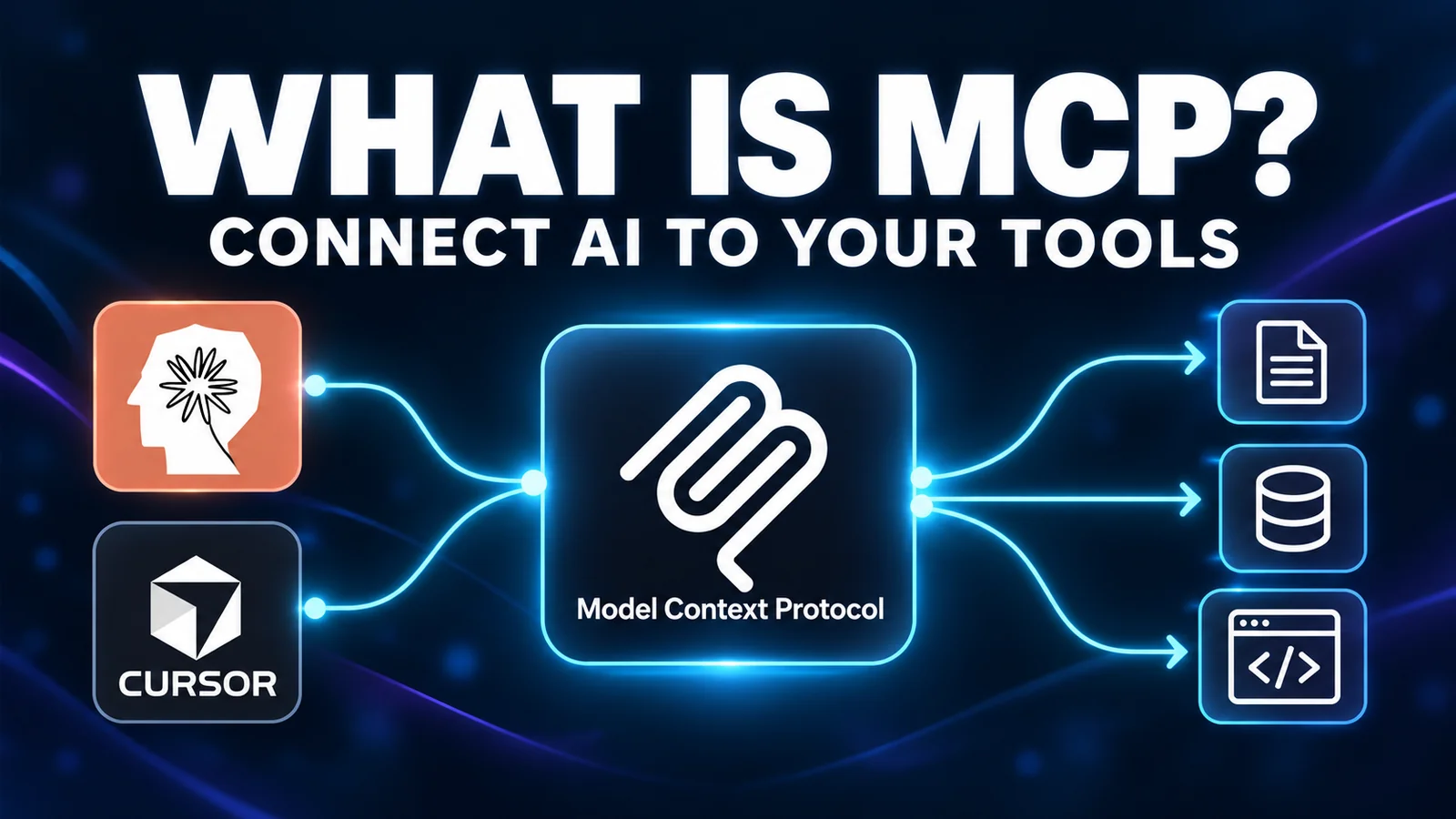
The essentials
- MCP standardizes how AI applications discover and use capabilities from connected servers.
- The host manages the experience, a client handles communication and a server exposes capabilities.
- Connecting a tool does not guarantee permission, correct reasoning or trustworthy output.
On this page
MCP, short for Model Context Protocol, is an open protocol that lets AI applications discover and use tools, data sources and reusable prompts through a common interface. A compatible application can connect to a server that exposes those capabilities instead of building a separate bespoke integration for every application-service pair.
MCP is the connection mechanism. It is not the AI model, a permission grant or a guarantee that the resulting answer is correct. This explanation follows the official documentation checked September 25, 2026; its issue-triage example is illustrative.
The problem MCP addresses
Imagine a coding assistant that needs information from an issue tracker. Without an integration, you might copy the issue into the chat. With a custom integration, the application can call the service directly, but another application may need its own implementation.
MCP supplies a shared way to expose and discover capabilities. A server can make selected issue-tracker operations available to compatible hosts. The application still needs to support the server's transport and features, and the user still needs access to the underlying data.
This is useful when the assistant's task depends on information outside the prompt. It is unnecessary when the complete task is already in the conversation and no external action is required.
Host, client and server: three different roles
The official MCP architecture overview distinguishes the application from the communication component and the program serving capabilities.
| Role | Plain-language meaning | Example in an issue-triage workflow |
|---|---|---|
| Host | The AI application coordinating the experience | The coding assistant you interact with |
| Client | The component communicating with an MCP server | The host's connection to the issue integration |
| Server | The program exposing selected capabilities | A service that can retrieve issue information |
A server can run on your machine or elsewhere. Its location does not alone determine where the data goes. A local process may call a remote API, and retrieved content may be sent to the model used by the host.
You ask a question
        |
        v
AI application (host, with an MCP client)
        |
        v
MCP server ----> connected service or local data
        |
        v
Tool result returns to the application
        |
        v
The assistant answers; you inspect the evidence
This diagram omits transport and authentication details to show the data path. It does not imply that every request is allowed or that all processing happens locally.
Tools, resources and prompts
The server concepts documentation describes three important types of capability:
- Tools: operations the application can invoke, such as retrieving an issue or running a query.
- Resources: contextual data the application can access, such as a document or schema.
- Prompts: reusable interaction templates exposed by the server.
A tool can read information or change something; the word “tool” does not mean “safe to run without review.” A prompt template is also not a new model. These are pieces the host can use while handling a task.
Not every server exposes every type, and not every client presents them in the same way. Check the actual integration rather than assuming a shared protocol means identical user interfaces.
An example: explain one GitHub issue
Suppose you ask: “Summarize issue 42 in this repository and list the questions that still need an answer.” You have already connected an appropriate GitHub integration with read access.
The sequence might look like this:
- The host discovers the server's available capabilities.
- The assistant selects an operation relevant to reading the issue.
- The host applies its configured controls and sends the request.
- The server retrieves information allowed by its credentials.
- The result returns to the host for the assistant to interpret.
- The assistant supplies a summary with a link you can inspect.
The official GitHub MCP server is a real integration for GitHub workflows. The sequence above is a simplified example, not a transcript of a test or a promise of a particular tool name.
For a first experiment, choose an issue whose contents you already know. Compare the answer with the source. Did it distinguish the original report from later comments? Did it label open questions rather than inventing answers? Those checks evaluate usefulness, not merely connectivity.
MCP versus an API, tool calling and RAG
These concepts solve different parts of the system:
| Concept | Main job | Relationship to MCP |
|---|---|---|
| API | Expose a service's operations to software | An MCP server may call an existing API |
| Tool calling | Let a model request a structured operation | MCP can supply tools the host exposes to the model |
| RAG | Retrieve relevant material to ground a response | Retrieval can be supplied through an MCP integration |
| AI agent | Work toward a goal through actions and feedback | An agent may use MCP-connected capabilities |
For example, an assistant could retrieve policy passages through an MCP server and use them in a RAG workflow. It could also use RAG without MCP, through an application's own retrieval code. Neither term replaces the other.
Read our RAG explainer for the retrieval step and AI agent guide for the action-and-feedback loop. Choosing RAG versus fine-tuning is another separate decision about information and model behavior.
Local and remote connections
MCP documentation describes local process communication through standard input/output and remote communication through Streamable HTTP. These are transport choices: how messages travel, rather than what the assistant is allowed to do with them.
For users, the practical questions are simpler. Where does the server run? What service does it contact? Which account grants access? Where does the host send returned content? A local icon or package installation answers only part of that list.
For implementation, use the documentation matching the client, SDK and protocol version you deploy. Discovery and connection details can change across protocol versions; an old configuration snippet is not a universal specification.
What MCP does not solve automatically
Authorization: the integration still needs correctly scoped credentials and controls. A successful connection does not establish that every available action is appropriate.
Prompt injection: retrieved documents and tool results can contain hostile or misleading instructions. The assistant must not treat those instructions as permission to change the user's task.
Answer quality: the right source can still be misunderstood. Source links and independent verification remain useful, as our AI hallucination checklist explains.
Service reliability: a server can fail, return incomplete information or depend on an unavailable upstream service. The host needs useful error handling, not just a connection indicator.
The official MCP security guidance covers security considerations beyond this introductory explanation. Evaluate the whole host-server-service arrangement when the stakes extend beyond a personal experiment.
When should you use MCP?
Use it when a compatible integration supplies information or an action that materially helps your task. Start with one server and one bounded, preferably read-only request. Verify its output before granting broader access or adding more connections.
You may not need it when the host already has the necessary capability, a direct API integration is simpler, or copying one small document solves a one-off problem. The objective is a useful workflow, not the largest list of connected servers.
Our MCP server shortlist for developers maps four options to concrete tasks. Revisit this explanation when protocol concepts change; for implementation details, always follow the official documentation for your deployed version.
Common Questions & Practical Answers
No. An MCP server can wrap an existing API and expose selected capabilities to compatible AI applications. The underlying service and its permissions still exist.

Editorial contributor covering foundational AI models, agentic workflows, and systems engineering for Lucivo.
Related articles
Best MCP Servers for Developers: Four Useful Starting Picks
RAG vs Fine-Tuning: Which Does Your AI Project Actually Need?

Claude Opus 5.5: What's New and How to Try It
The Weekly Breakdown
High signal AI & software stories.
Direct to your inbox. No hype.
Independent analysis of AI models, developer tools, and computing architectures. Delivered every Sunday morning. 100% free.