Best MCP Servers for Developers: Four Useful Starting Picks
Choose MCP servers for repository work, browser testing, documentation and debugging, with practical first tasks and checks for access and compatibility.
The essentials
- Select an MCP server to solve a specific missing capability in your coding workflow.
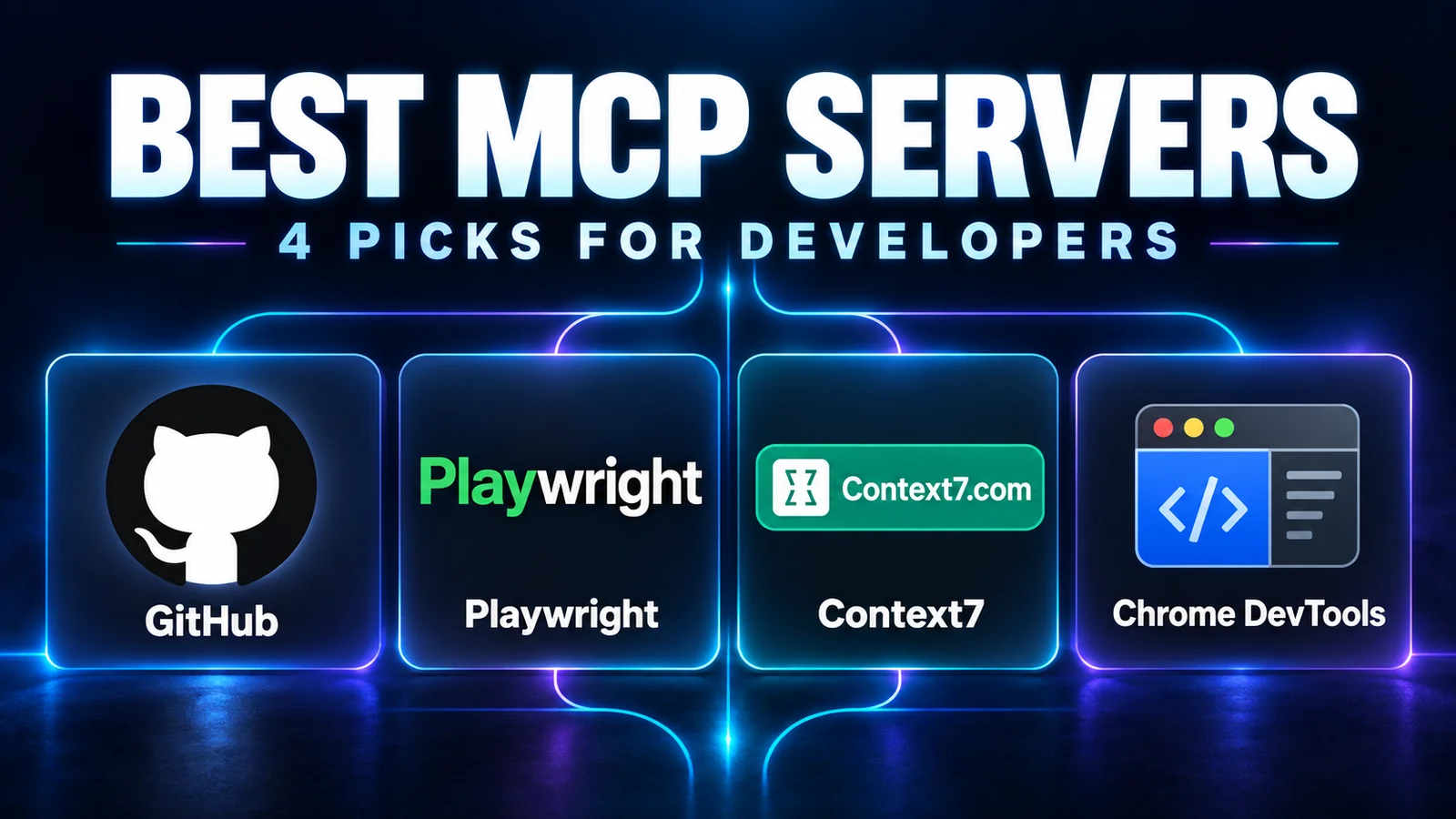
- GitHub, Playwright, Context7 and Chrome DevTools cover different developer tasks.
- Check permissions, client compatibility and actual task results before adding more servers.
On this page
The best MCP server is the one that gives your agent a capability your current task actually needs. For many development workflows, a useful shortlist is GitHub for repository work, Playwright for browser interaction, Context7 for library documentation and Chrome DevTools for browser debugging.
This is a documentation-based selection, checked September 25, 2026. It is not a hands-on reliability ranking. We selected identifiable, upstream-maintained projects with distinct purposes and documented setup. If MCP is new to you, read how the protocol works first.
Quick picks by task
| Server | Best starting use case | Suggested first check |
|---|---|---|
| GitHub MCP server | Read repository, issue and pull-request context | Summarize one known issue with a source link |
| Playwright MCP | Interact with a web application through a browser | Complete a local form with dummy data |
| Context7 | Retrieve relevant library documentation | Find an API example matching an installed version |
| Chrome DevTools MCP | Inspect and debug a browser session | Investigate one reproducible console or network problem |
These servers are alternatives by task, not four mandatory installations. If your agent already has an adequate browser or documentation tool, first establish what another integration would improve.
GitHub MCP server: repository context and collaboration objects
The official GitHub MCP server connects compatible clients to GitHub capabilities. It is a useful candidate when work depends on issues, pull requests or repository information that is not present in your local checkout.
Begin with a read-only task on a repository you are allowed to access. Ask for a summary of an issue you already understand, including its number, URL and unresolved questions. Verify the cited object before trusting a broader request.
Use the project's documented read-only mode or restricted toolsets where appropriate, and scope authentication to the intended repositories. Configuration should match the client and deployment option you select; copying a random token-based example can grant more access than the task needs.
Skip it for now if you only need to modify local files and the agent already has adequate local tools. Reading a file from disk does not require a GitHub connection.
Playwright MCP: browser interaction with an inspectable task
Microsoft's Playwright MCP project exposes browser automation to compatible assistants. Its documentation describes structured accessibility information as a core interaction mechanism.
A useful first task is opening a development preview, filling a form with dummy values and checking the visible validation message. State the expected result beforehand. The assistant should report what it actually observed, not merely say that the form “looks good.”
Use a dedicated test browser context. The ability to navigate and click becomes consequential when the browser is signed into real services. Review the server's documented browser and access options before using it with existing sessions.
Browser exploration is also different from a durable regression test. Once you discover a repeatable bug, capture it in the project's test suite where appropriate. A successful one-off interaction does not prove future builds behave correctly.
Context7: documentation matched to the library you use
Context7's upstream project provides documentation access for coding assistants. It is useful when an agent proposes an API from memory and you need evidence that the API belongs to the library and version in your project.
Start by supplying the package name and installed version. Ask for a relevant documentation example and its source, then compare the suggested call with your installed types or a small executable check.
Version coverage and relevance still need inspection. Documentation retrieval can reduce guesswork, but it does not guarantee that the agent selects the correct example or applies it correctly. Check service access requirements and current limits in the upstream instructions.
Skip it for now if the task already includes the authoritative documentation it needs. Another retrieval layer is useful only when it improves access to missing information.
Chrome DevTools MCP: debugging the page that is actually running
The Chrome DevTools MCP project gives coding agents access to browser inspection and debugging tools. Consider it for a specific runtime problem: a failed request, console exception or performance investigation.
Begin with a local page and a reproducible symptom. Ask the assistant to identify evidence before changing code. For example: which request failed, what response was returned and which interaction triggered it?
Keep inspection results separate from causal conclusions. A slow request observed once does not prove a site-wide bottleneck. Reproduce the issue under documented conditions and verify the fix.
For interaction-heavy tasks, Playwright may be the clearer first experiment. For debugging, DevTools may fit better. There is overlap; install both only when your tasks justify it.
Check compatibility before copying configuration
MCP standardizes communication, but client support is not identical. Confirm the transport, authentication method and server features your chosen client supports. A configuration example written for one application may need adaptation for another.
Follow the upstream installation instructions and record the version or release used. Avoid presenting an unpinned latest package as a reproducible setup. If the server is remote, confirm the endpoint belongs to the actual publisher before entering credentials.
Use this acceptance sequence:
- Confirm the publisher and selected deployment option.
- Connect with only the access needed for the test.
- Check that the expected tools appear in the client.
- Run one task with a known answer or observable result.
- Verify the source object or application state independently.
- Keep the integration only if it improves the workflow.
Costs and permissions belong in the comparison
Server code, connected-service access, hosting and model inference are separate cost categories. A downloadable package can still require a paid service or generate model usage while its outputs are processed.
For permissions, ask what the integration can read and change. A documentation query and a repository write have different consequences. Use the client's approval controls and the server's available restrictions together; do not assume that an “official” server automatically chooses the right scope for you.
Tool outputs are external content. An issue, webpage or document can contain misleading instructions. The host and model still need to treat that content as task data, rather than authority to expand access or send information elsewhere. Consult the MCP security guidance when designing a broader deployment.
A small stack is easier to evaluate
For a documentation problem, begin with Context7. For a repository triage task, begin with GitHub. For a UI behavior problem, evaluate Playwright or DevTools based on the evidence you need.
Add the next server after you can describe its independent benefit. More listed tools do not by themselves establish better task performance.
If you are still choosing the host application, our Claude Code versus Cursor comparison covers that decision. Review this shortlist monthly and after changes to authentication, maintenance status, supported clients or service limits. The upstream links above are the sources for capabilities; the first-task checks are our suggested evaluation procedure.
Common Questions & Practical Answers
Pick the one that solves your current task: GitHub for repository information, Playwright for browser interaction, Context7 for library documentation or Chrome DevTools for browser debugging.

Editorial contributor investigating AI code editors, software craft, and developer productivity tooling for Lucivo.
Related articles
Best Local LLMs for 16GB RAM: A Practical Shortlist
What Is MCP? How AI Apps Connect to Tools and Data
Claude Opus 5.5: What's New and How to Try It
The Weekly Breakdown
High signal AI & software stories.
Direct to your inbox. No hype.
Independent analysis of AI models, developer tools, and computing architectures. Delivered every Sunday morning. 100% free.