Ollama Not Using GPU: Diagnose CPU Fallback
Diagnose Ollama CPU fallback by checking model placement, GPU visibility, context and memory before changing drivers or buying hardware.
The essentials
- Ollama can use the CPU because the GPU is unavailable to the runner, because the workload does not fit in available GPU memory, or because part of the work still runs on the CPU.
- Those are different diagnoses.
On this page
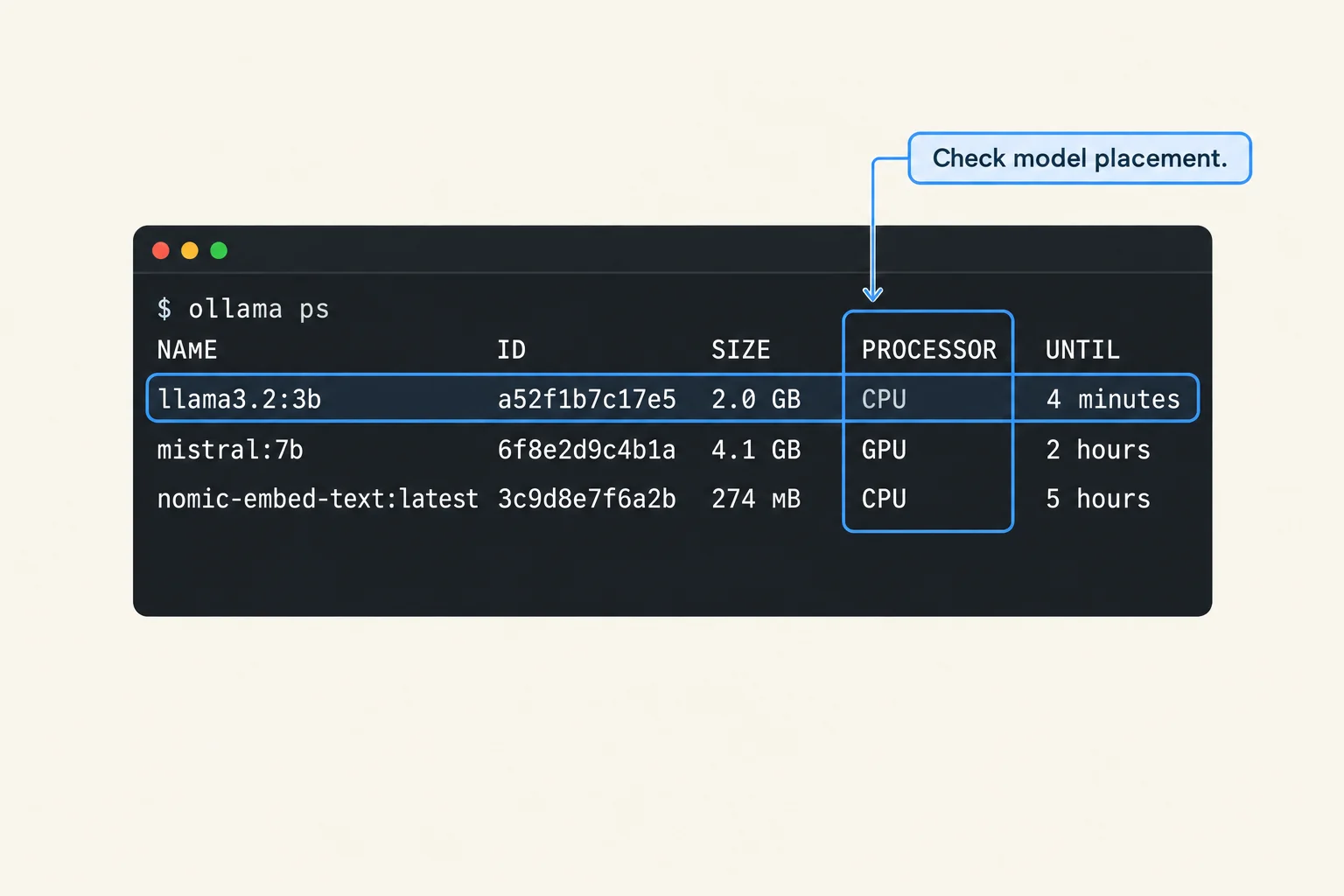
Ollama can use the CPU because the GPU is unavailable to the runner, because the workload does not fit in available GPU memory, or because part of the work still runs on the CPU. Those are different diagnoses. Start with model placement while a request is active; a busy CPU alone does not establish GPU failure.
Find the first broken layer
Run ollama ps while your model is loaded. Its processor field reports placement, not a utilization benchmark. Compare that result with the GPU visible inside the environment running Ollama. A GPU visible on the host is not necessarily available inside a container. Ollama documents supported devices and platform requirements in its hardware guide.
Use this decision record:
| Observation | Next check |
|---|---|
| No model appears | Send a request, then inspect before it unloads |
| CPU placement and no device in runner logs | Driver, supported backend, container device access |
| Mixed placement with a large workload | Context, model size, concurrent requests, other memory consumers |
| GPU placement but slow answers | Separate loading, prompt processing and generation |
Do not change every setting together. You will lose the evidence that identifies the cause.
Test the memory hypothesis
Choose an already installed smaller model and use the same short prompt. Keep one request active. Then compare your normal model at a shorter context. If GPU placement returns only with a smaller workload, memory pressure is a stronger explanation than a completely missing driver.
The context documentation connects context allocation with memory requirements. Model download size is not the total runtime allocation: the context cache and execution buffers also need room.
Illustrative case: a model loads on the GPU for a short conversation but becomes partly CPU-resident when an application sends a long history. The useful next step is to inspect the application's effective context settings, not simply reinstall the runtime. This is a diagnostic scenario, not a measured Lucivo result.
Test the visibility hypothesis
Capture the OS, Ollama version, device model and installation method. Read the runner startup logs for the selected backend. If using containers, verify GPU access there independently of the host.
Follow the supported configuration for that platform. Avoid copying an unrelated GPU override from a forum: an override that bypasses detection does not make an unsupported device compatible.
Know when the fix is complete
Repeat the original workload, not just the tiny diagnostic prompt. Record placement, response time and memory pressure over several requests. A configuration that works only with the small prompt has narrowed the problem but has not solved the actual workload.
Keep the local-AI setup guide as your installation reference. Use the 16GB RAM guide when deciding whether your machine can support the workload at all.
Related troubleshooting
This guide draws on the linked documentation. Examples are illustrative unless explicitly identified as measured results.
Practical guides published by Lucivo, developed with AI assistance and references to official documentation. Examples are illustrative unless a guide explicitly documents a hands-on test. Check the linked sources for current product details.
Related articles
Stop Repeated AI Agent Tool Calls
AI Transcription Invents Words in Silence
Change Embedding Models Without Mixing Vectors
The Weekly Breakdown
High signal AI & software stories.
Direct to your inbox. No hype.
Independent analysis of AI models, developer tools, and computing architectures. Delivered every Sunday morning. 100% free.